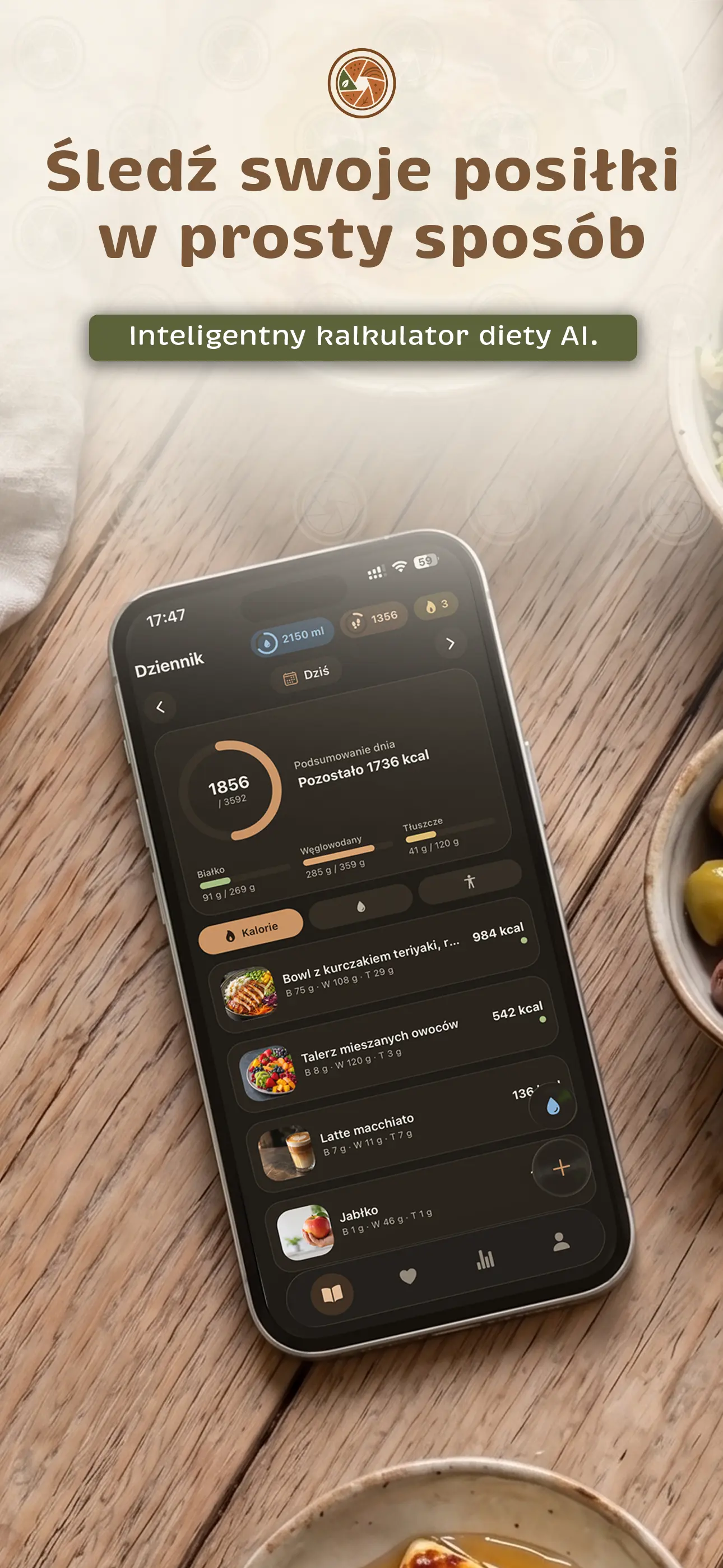
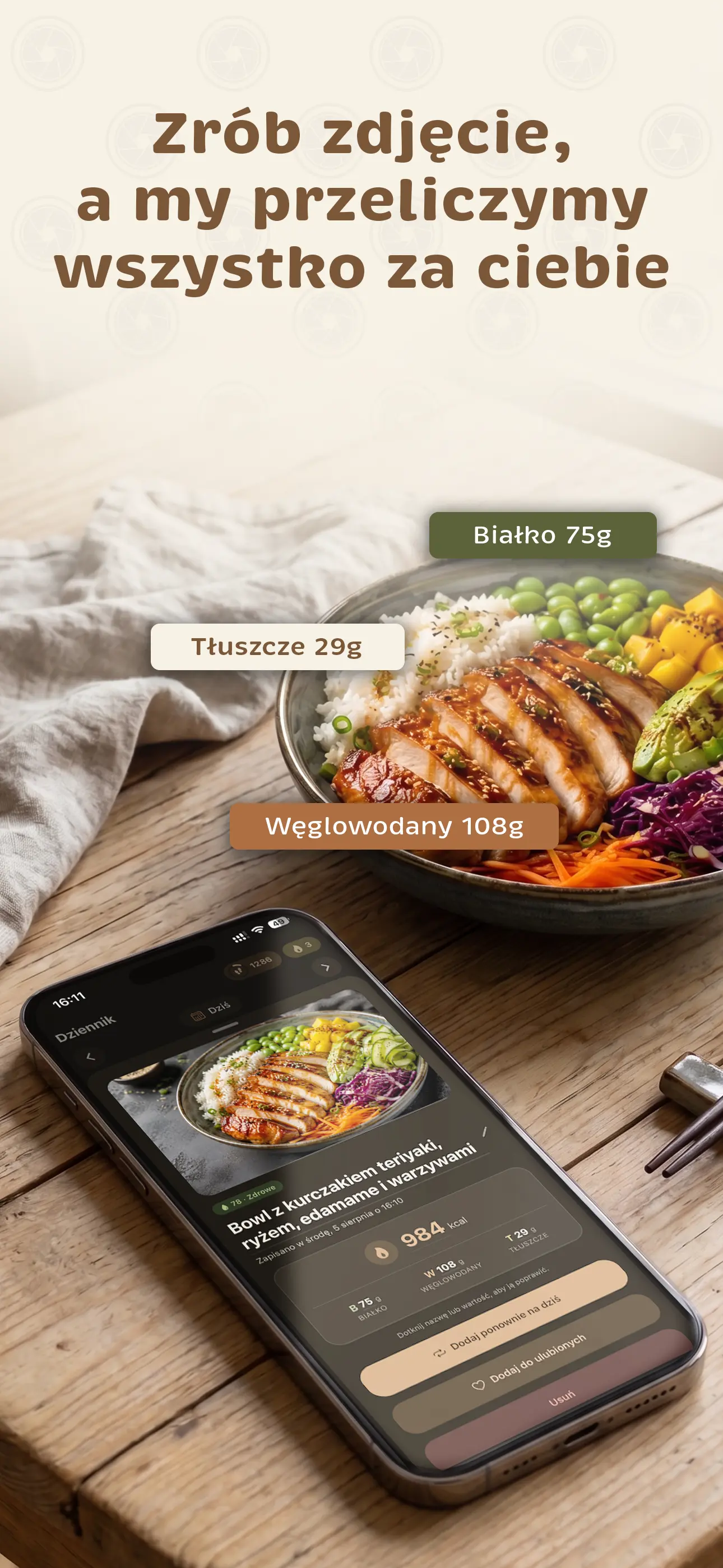
Take a photo of your meal or simply say what you ate. In seconds, AI identifies the dish and estimates calories, macronutrients, fiber, sugars, and salt—along with an assessment of how healthy your plate is. The Plan tab builds meals around your calorie and protein goals—free for 3 days, or up to a full week with Premium—with recipes and a shopping list.
No weighing every ingredient or filling in charts by hand. EatSee does the work for you.
AI Photo Scan
Take a photo of your plate, and AI identifies the dish and estimates its calories and macronutrients. The dish name and calories appear while the analysis is still running. You can zoom the camera up to 10x and adjust the result ingredient by ingredient.
Chicken with rice and vegetables642 kcalProtein 48 gCarbs 63 gFat 18 gFiber 6 gSugars 8 gSalt 1.6 g
Ingredients Under Your Control
In the scan results, uncheck anything that wasn't on your plate, change an ingredient's weight, or add your own by weight in grams or by number of pieces. Calories and macros update right away, and ingredients AI assumed were present are marked.
Scan a store product's barcode and add it to your food diary. It still works after you've used up your daily AI analyses.
Doesn't use AI analyses
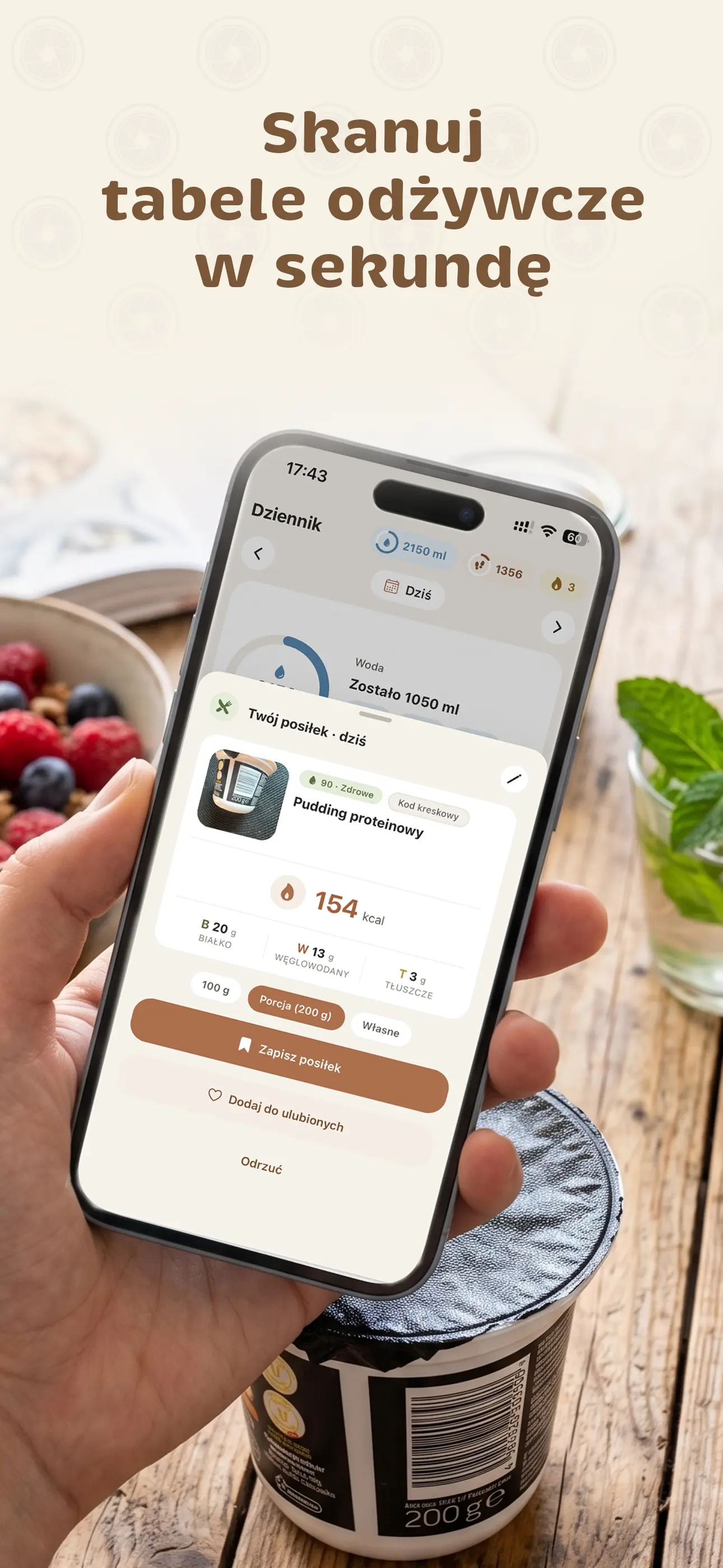
Nutrition Labels
Just take a photo of the nutrition information table on the package. Choose a serving, and EatSee calculates the values for you.
Fiber, Sugars, and Salt
See them for every meal—whether logged by photo, label, barcode, or manual entry—and in your daily summary against these benchmarks: at least 25 g of fiber, sugars up to 18% of your calorie goal, and salt up to 5 g. Values are estimates.
Also available with a free account
Fiber19 / 25 gSugars41 / 90 gSalt3.2 / 5 g
Say What You Ate
No photo or typing needed: say it in one sentence, and AI identifies the dishes, estimates calories, and creates an illustrative image of your meal.
🎤“two cheese sandwiches and coffee with milk”2 meals · 486 kcal · Protein 21 g
1 voice entry per day for free · significantly more with Premium
Food Diary with Goals
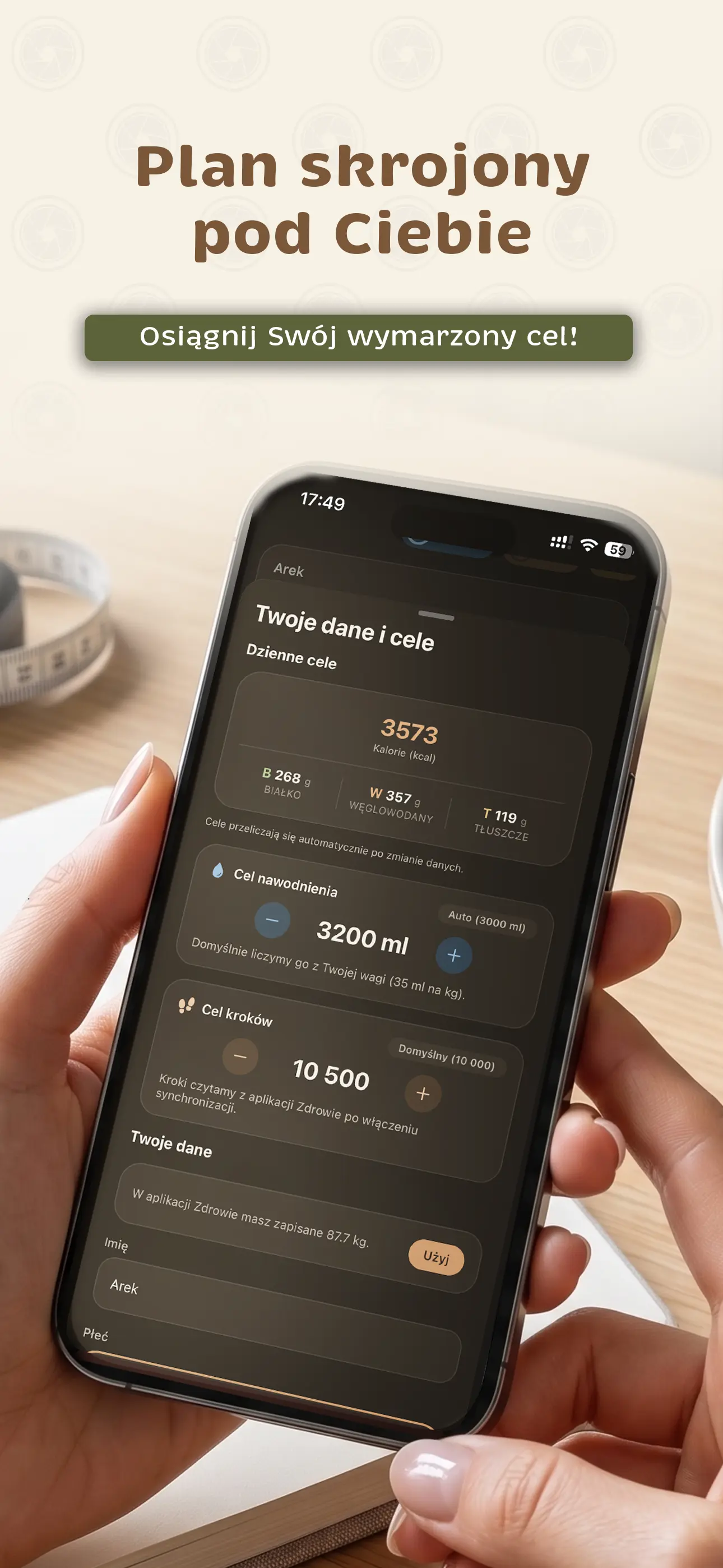
Set a daily calorie and macro goal, and EatSee shows how much you have left for the day. Tap the pencil to choose what your daily card displays: calories, macros, or fiber, sugars, and salt.
Keep Track of Water
Log water with one tap. Your hydration goal is calculated automatically from your weight.
Weight and 30-Day Trend
Log your measurements and follow the trend, while your calorie goals adjust to your weight.
Stats and Insights
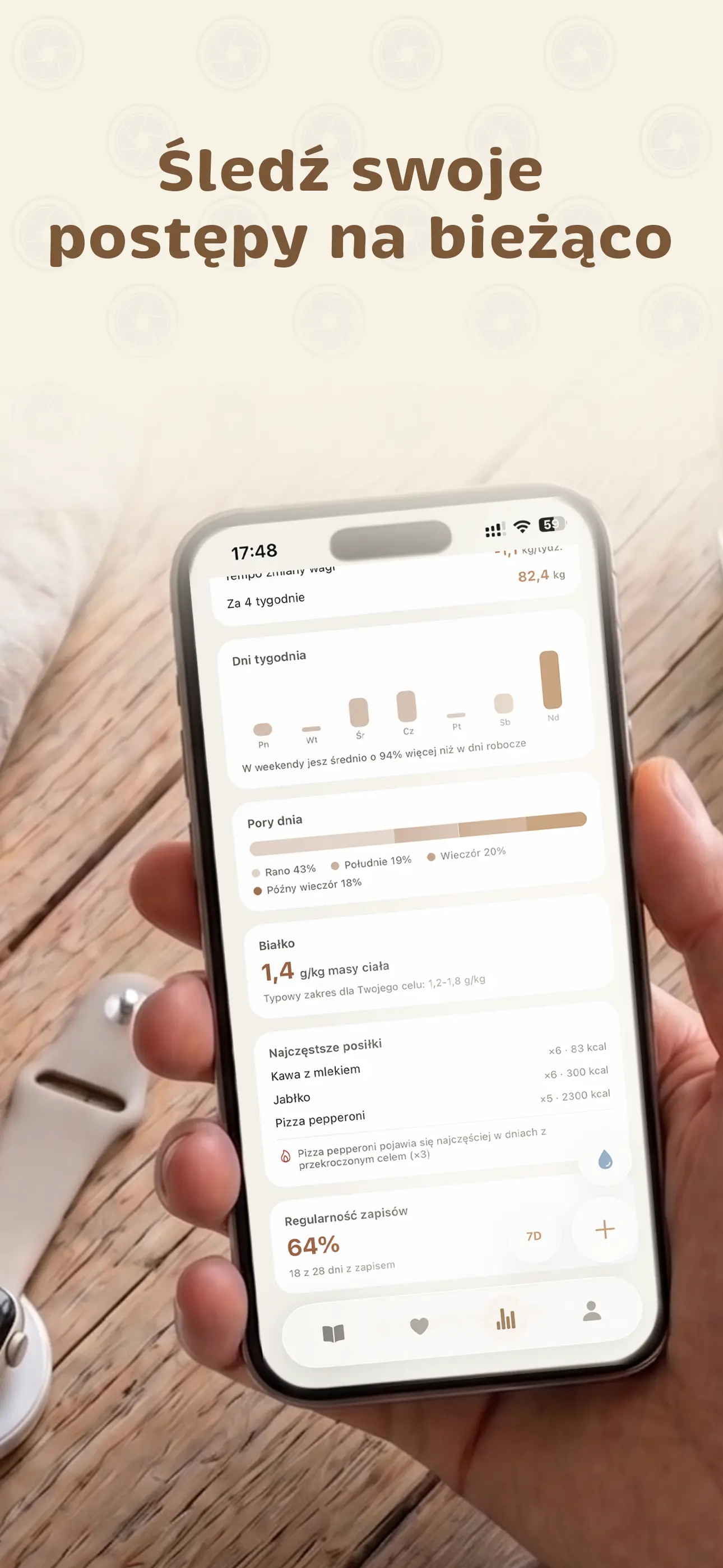
Charts for calories, water, and weight; weekly trends; customizable stats tiles; and an At a Glance section that highlights insights automatically.
Weekly report and PDF export with Premium
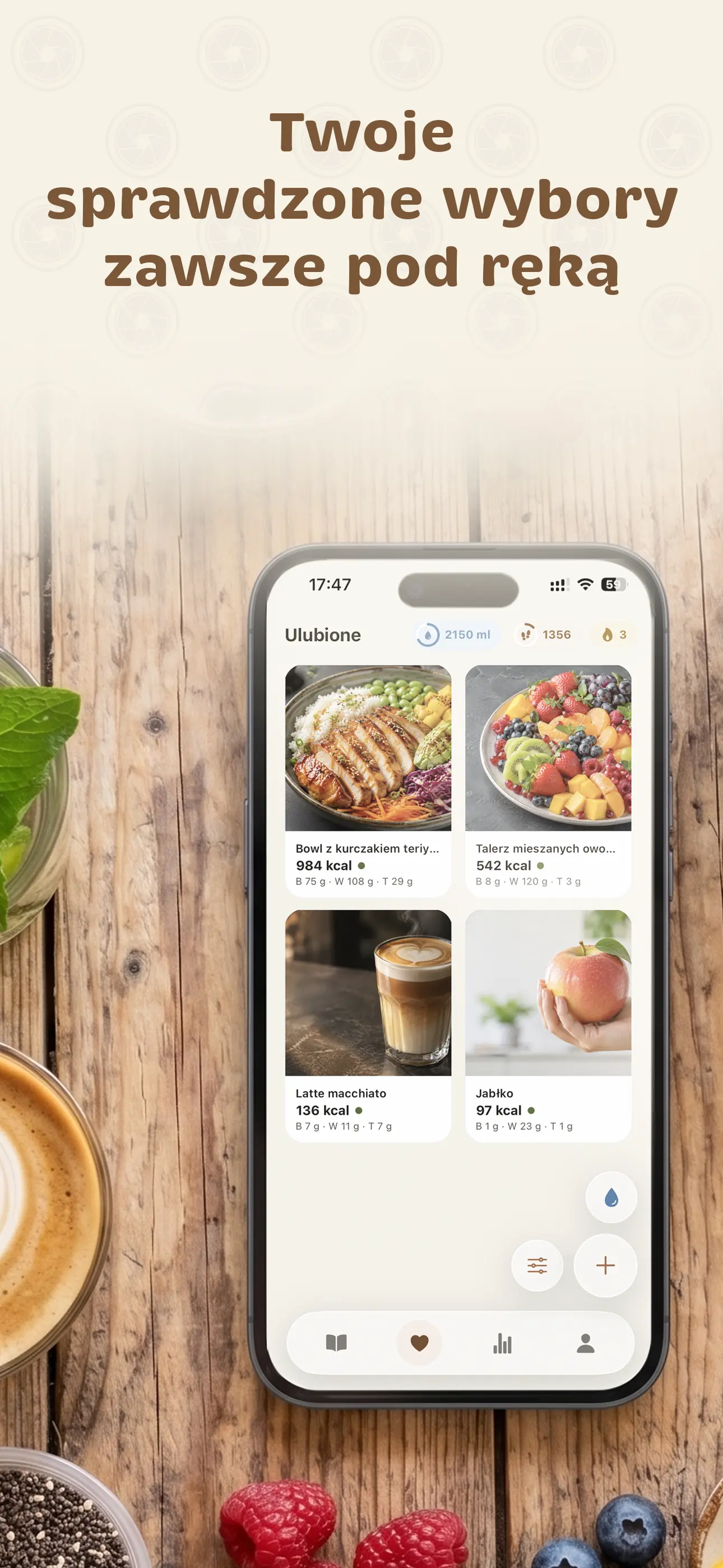
Favorites in One Tap
Eat the same things often? Save a meal and add it to your food diary with one tap. You can also sort favorites by most fiber or least sugar and salt.
🥣🍗🥪🍎
Apple Health and Health Connect
Meals and weight sync with Apple Health on iPhone and Health Connect on Android. You can also see your steps in EatSee, with a goal, a weekly chart, and fun facts—like how many marathons you've walked or what percentage of Earth's circumference you've covered.
Logging Streaks and a 7-Day Challenge
Every day you log something keeps your streak going. Track it on a calendar, use shields to protect it when you miss a day, and use streak repair with Premium if it breaks.
1234567🔥
12 Badges to Earn
Earn them for your first voice-logged meal, reaching your water goal, a perfect week, weight moving in the right direction, and more. Each comes with a food fact and a shareable card.
🎤💧⭐🔒
Reminders That Know You
Your name, the calories and water left to reach your goals, and favorite dishes around the time you usually eat. Just a few a day at most, with no spam.
Hey Ola, you have 640 kcal left 🍽️Dinner at 19:00? Last time you had salmon with vegetables.
The whole process takes less time than stirring your tea. The meal plan has its own three steps, further down the page.
🍗
Take a photo or describe your meal
Point your phone at your plate and tap, or tap the microphone and say what you ate. No weighing or typing needed.
Chicken with rice and vegetables642kcalProtein 48 gCarbs 63 gFat 18 g72 · Healthy
AI analyzes your meal
The dish name and calories appear while the analysis is still running. Soon after, you see protein, carbs, fat, fiber, sugars, salt, and the dish’s health score.
🍗Chicken with rice642Daily1847 / 2300 kcal
Add it to your food diary
Deselect anything that wasn’t on your plate, or adjust the amounts, then log the meal with one tap. Your daily goals update automatically.
Meal plan · 3 days free
Decide what to eat before you get hungry
The Plan tab builds meals around your calorie and protein goals—free for 3 days, or up to a full week with Premium—with recipes, servings, and a shopping list. AI selects the dishes, while we calculate each recipe’s calories and macros from its ingredients.
1
Tell us how you eat
Answer a few quick questions about meal times, diet, allergies, foods you dislike, available time, and kitchen equipment. We get your calorie and protein goals from your profile.
2
AI plans, code calculates
AI selects dishes and servings, while code calculates calories and macros from the ingredients’ nutrition information. We check each new plan before saving it.
3
Cook and check it off
Follow the step-by-step recipe, tap “I ate this” to log the meal, and find the ingredients on your shopping list.
A day of meals built around your goals
Meals at your preferred times and in your eating style—balanced, Mediterranean, low-carb, keto, or gluten- and lactose-free—with step-by-step recipes and servings. Get a free 3-day plan, or plans for today, tomorrow, 3 and 7 days with Premium.
TodayPlanned total 1800 / 1850 kcalProtein 124 gCarbs 186 gFat 60 gFiber 29 gSugars 54 gSalt 4.1 g🥣Oatmeal with yogurt and raspberries8:00 · 430 kcal✓ Eaten🍗Chicken with grains and vegetables13:00 · 640 kcalI ate this🍎Skyr with apple and cinnamon16:30 · 250 kcalSwap🍳Spinach omelet19:30 · 480 kcal
Calories calculated from ingredients
The AI model doesn’t provide calorie counts. Code calculates them from the ingredients’ nutrition information, and we save a new plan only after checking that it meets your calorie and protein goals.
We check your exclusions
Your diet, 14 allergens, foods you dislike, and the equipment you have in your kitchen. We check recipes against these before adding them to your plan.
Swap, eat, adjust
Not in the mood for lunch? “Swap meal” shows up to 3 alternatives. “I ate this” logs the meal in your food diary. If your day doesn’t go to plan, “Adjust the rest of your day” in Premium adapts upcoming meals to what’s left of your goal.
Ingredients from your plan come together in one shopping list, organized by category—for one day or, with Premium, 3 or 7 days. Check off what you’ve bought and mark what you already have as “Have at home.” You can also share the list as text.
Oats240 gChicken breast450 gEggsHave at home
Fiber, sugars, and salt in your plan
For each dish and your daily total, you see not just calories and macros but also fiber, sugars, and salt. You can quickly see whether the plan is too high in sugar or salt.
Daily totalFiber 29 g · sugars 54 g · salt 4.1 g
Free
A 3-day plan once every 7 days
1 meal swap in your plan
Shopping list for 1 day
Step-by-step recipes and “I ate this”
Fiber, sugars, and salt for each dish
Premium
Plans for today, tomorrow, 3, and 7 days
Meal swaps within daily limits
Adjust the rest of your day
Shopping lists for 3 or 7 days
The plan is not a medical plan or therapeutic diet. We check ingredients against your exclusions, but if you have an allergy, always check product labels.
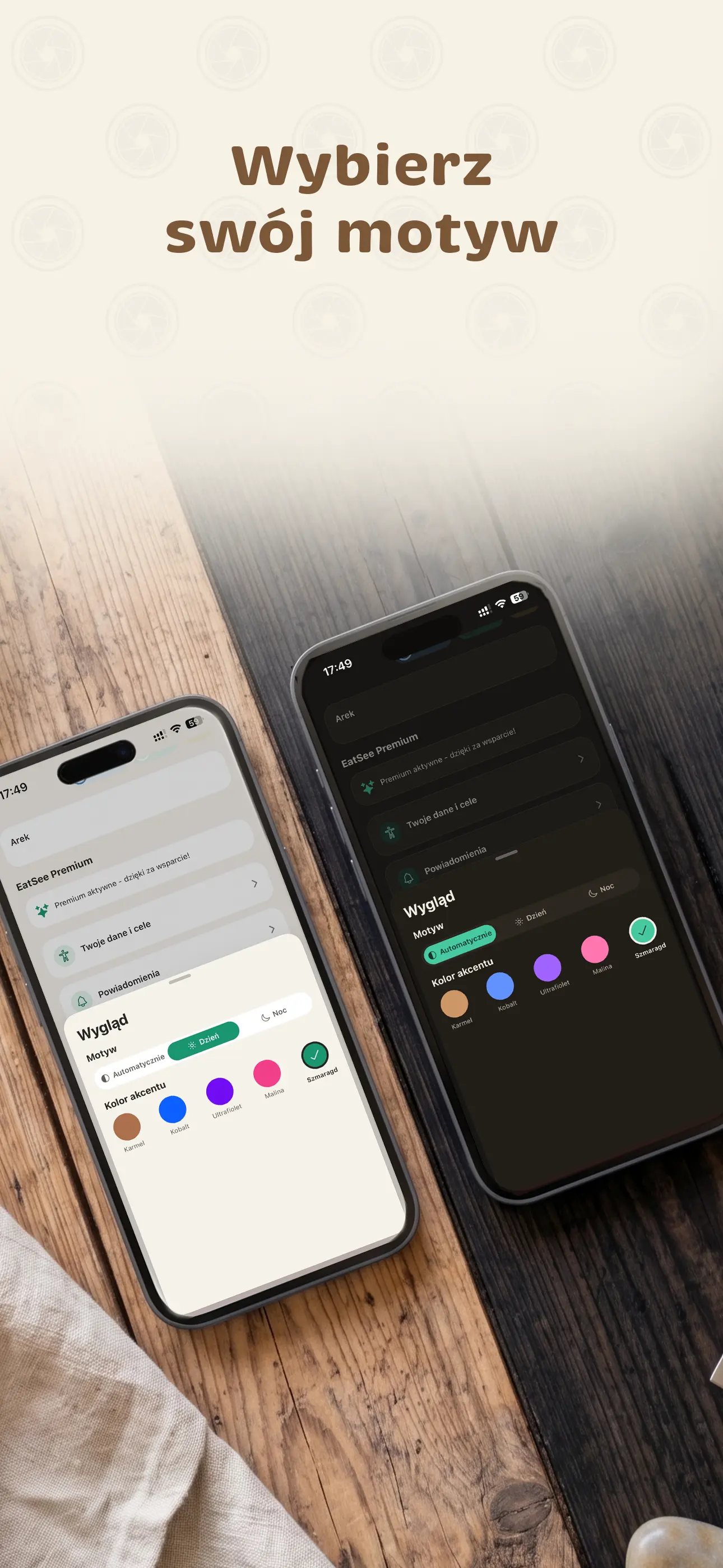
EatSee Premium significantly increases your daily limits for AI analysis and voice logging. For meal planning, it unlocks plans for today, tomorrow, 3, and 7 days, meal swaps within daily limits, “Adjust the rest of your day,” and shopping lists for 3 or 7 days. You also get full stats with a weekly report, PDF export, streak repair, and color themes. Choose the plan that works for you.
Monthly
19.99 PLN/ month
All of EatSee Premium with no long-term commitment. Cancel anytime in your app store settings.
A free account includes 3 AI analyses and 1 voice-logged entry per day, a 3-day meal plan once every 7 days, and fiber, sugars, and salt with weekly trends. Premium significantly increases daily limits under our fair use policy, while barcode scans don't use AI analyses—even without Premium. You can see current limits in the app, and the terms of service explain our fair use policy.
Prices are listed in PLN. App Store and Google Play will show them in your currency.
FAQ
FAQs
How can the app estimate calories from a photo alone?
AI identifies the dish and its ingredients in the photo, estimates the serving size, and uses that to calculate calories, macronutrients, fiber, sugars, and salt. These values are estimates, so you can correct the result: deselect an ingredient that wasn't on your plate, change the amount, or add your own ingredient in grams or units. Calories and macros update right away, and ingredients assumed by AI are marked.
How does EatSee calculate fiber, sugars, and salt?
You can see fiber, sugars, and salt for every meal—whether added from a photo, label, barcode, or manual entry—as well as in your stats, meal plan, and daily summary. The daily summary compares them with daily guidelines: at least 25 g of fiber, no more than 18% of your calorie goal from sugars (90 g at 2000 kcal, based on the EU reference intake for sugars), and no more than 5 g of salt, in line with WHO recommendations. These are estimates. This is available with a free account, and with Premium, fiber, sugars, and salt also appear in your Weekly report and PDF export.
How does voice logging work?
Tap the microphone and say what you ate, such as “two cheese sandwiches and coffee with milk.” AI turns it into a meal entry with calories and macronutrients and generates an illustrative image of the dish in the background. Your recording goes to our AI service provider only to convert speech to text; we don't store it on our servers. Voice logging has a daily limit: 1 entry per day with a free account and significantly more with Premium. You can see how many entries you have left today in the app.
How does the meal plan work?
In the Plan tab, you answer a few quick questions about meal times, your diet, allergies, foods you dislike, how much time you have, and your kitchen equipment. We take your calorie and protein goals from your profile. Then choose your plan length—3 days for free, or today, tomorrow, 3, or 7 days with Premium—and AI selects the dishes. You can close the screen while it works; your plan saves automatically. You get step-by-step recipes with serving sizes and a shopping list, plus fiber, sugars, and salt for each dish. “I ate this” adds a meal to your food diary, and “Swap” shows up to 3 alternatives.
How does the meal plan calculate calories and macros?
Not through AI. The AI model suggests dishes and serving sizes, while code calculates calories, protein, carbs, and fat from the ingredients' nutrition information—these aren't numbers made up by the model. We save a new plan only after checking that the planned meals meet your calorie and protein goals. Swapped meals and adjustments to the rest of your day are also calculated from ingredients, but may differ from your goals a little more.
Will the meal plan account for my allergies and diet?
Yes. Choose a diet (such as vegetarian or vegan), allergens from the list of 14 EU allergens, and foods you dislike—you can describe those in your own words, too. We check these exclusions when building your plan and won't suggest recipes with excluded ingredients. Meals you add to the plan yourself from your favorites aren't checked this way. We save your preferences to your account and share them with our AI service provider, which selects the dishes. See our privacy policy for details. The plan is not a medical plan or therapeutic diet, so always read product labels if you have an allergy.
What's free in the meal plan, and what requires Premium?
For free, you can create a 3-day plan once every 7 days, with 1 meal swap and a shopping list for 1 day. Recipes, “I ate this,” and fiber, sugars, and salt for each dish are available in both versions. Premium adds plans for today, tomorrow, 3, and 7 days, meal swaps within daily limits, “Adjust the rest of your day,” and shopping lists for 3 or 7 days.
What are logging streaks and badges?
A logging streak is a run of days with at least one food diary entry. Each day keeps it going, shields protect your streak if you miss a day, and a 7-day challenge helps you get started. There are also 12 achievement badges—for things like your first voice-logged meal, reaching your water goal, or a perfect week—each with a fun fact you can share with friends.
Does EatSee work with Polish foods and dishes?
Yes. EatSee was designed for the Polish market. AI recognizes Polish dishes such as Polish dumplings (pierogi), breaded pork cutlet (schabowy), and sour rye soup (żurek). The barcode database covers products sold in Polish stores, and meal plans use ingredients you can buy at a regular grocery store. The app is available in Polish and 13 other languages.
What happens when I reach my free AI analysis limit?
You won't lose anything. A free account includes 3 AI analyses and 1 voice-logged entry per day, and the limits reset daily. You can see what's left for today in the app. Once you've reached those limits, you can still scan barcodes, which don't use AI analyses, enter nutrition information manually, and add meals from your favorites. Meal plans have a separate limit: a 3-day plan once every 7 days for free. EatSee Premium significantly increases the daily limits for AI analysis and voice logging.
Does Premium have an AI analysis limit?
Yes, and we're upfront about it. AI-powered features have daily fair use limits, and Premium significantly raises them—to a level many times higher than typical use, while protecting the service from misuse. You can see the current limits in the app before you buy. Barcode scans, manual entries, and favorites don't use AI analyses. Our terms of service explain the fair use policy.
Do barcode scans use AI analyses?
No. Barcodes and the product database don't use AI analyses. You can scan barcodes for free with a free account or Premium, even after you've reached your daily AI analysis limit.
Does EatSee connect to Apple Health or Health Connect?
Yes. When you turn on sync, EatSee saves meals (calories and macronutrients) and weight to Apple Health on iPhone and Health Connect on Android. You can see steps from either source in the app, along with your goal, a weekly chart, and fun comparisons, such as how many marathons you've walked.
What languages does the app support?
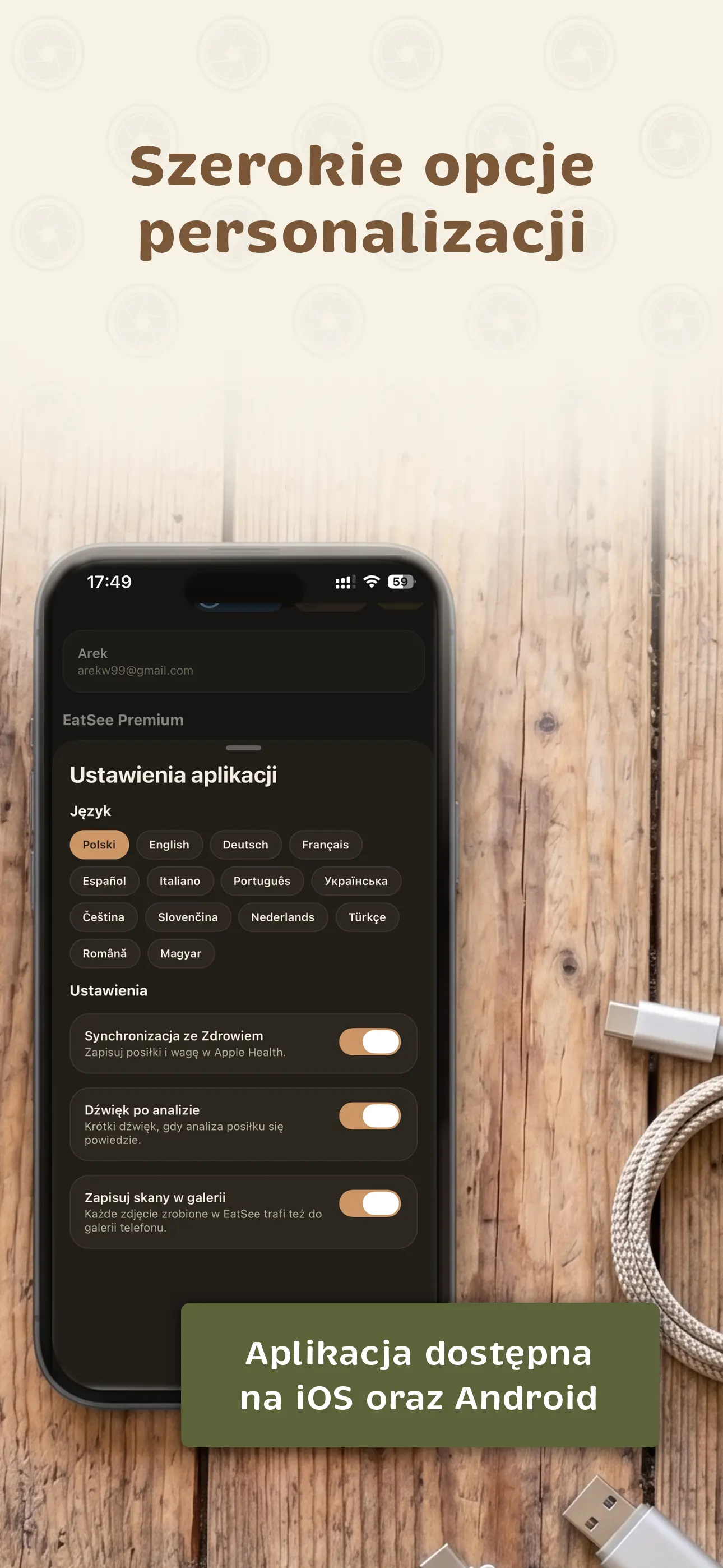
EatSee is available in 14 languages, including Polish, English, German, French, Spanish, Ukrainian, and Czech. You can change the language in the app settings, regardless of your phone's language.
How do I cancel my subscription?
Manage your subscription through the store where you bought it: on iPhone, go to Settings → your Apple account → Subscriptions; on Android, go to Google Play → Payments & subscriptions. If you cancel, your subscription remains active until the end of the paid period, with no additional fees.
Can I delete my account and data?
Yes. In the app (Profile → Account → Delete account), you can delete your account along with your profile, food diary, meal photos, preferences, and meal plans. Some records remain, such as recipes in the shared database (no longer linked to you), records used to prevent abuse, and your store purchase history. Our privacy policy explains this in detail. Deleting your account does not cancel your subscription; you need to do that in your app store settings. If you have questions, email kontakt@eatsee.pl.
Blog
From the EatSee Blog
Find out how many calories are in your food, how to create a calorie deficit, and how much protein you need—with clear, practical advice.
 EatSee